For parents
How Child Fiction works, step by step
You set up your child’s universe, invite the people, pets and stuffed animals they love, then pick a story: Child Fiction fills it in with your child’s name and one of the people they love, gives it voices and brings it to life on screen so you can watch it together. Here’s what happens at each step, and everything that stays in your hands.
· By the Child Fiction team
Child Fiction is made for kids ages 3 to 8 and their parents. Everything happens in your family space, in the web browser of a computer, tablet or phone: there’s nothing to install, and your child doesn’t need an account.
- Set up their profile: a first name, an age and, if you like, how they look.
- Add their characters: family, pets, favorite stuffed animals.
- Pick a story: a theme and one of the ideas suggested for your child.
- Watch it together: the story comes to life with voices and music.
- Let their universe grow: every adventure leaves memories for the next one.
1. Set up your child’s profile
All it takes is a first name or nickname, their birth year (and month, if you like), which pronouns to use, and the language of their stories, English or French. We never ask for their last name, their school or your address. Your child becomes the hero of a universe that belongs to them alone.
Then, if you like, you show what they look like: skin tone, hairstyle, hair and eye color, glasses. Your child appears right away, just as the stories will draw them, and you can change it all later from their page.
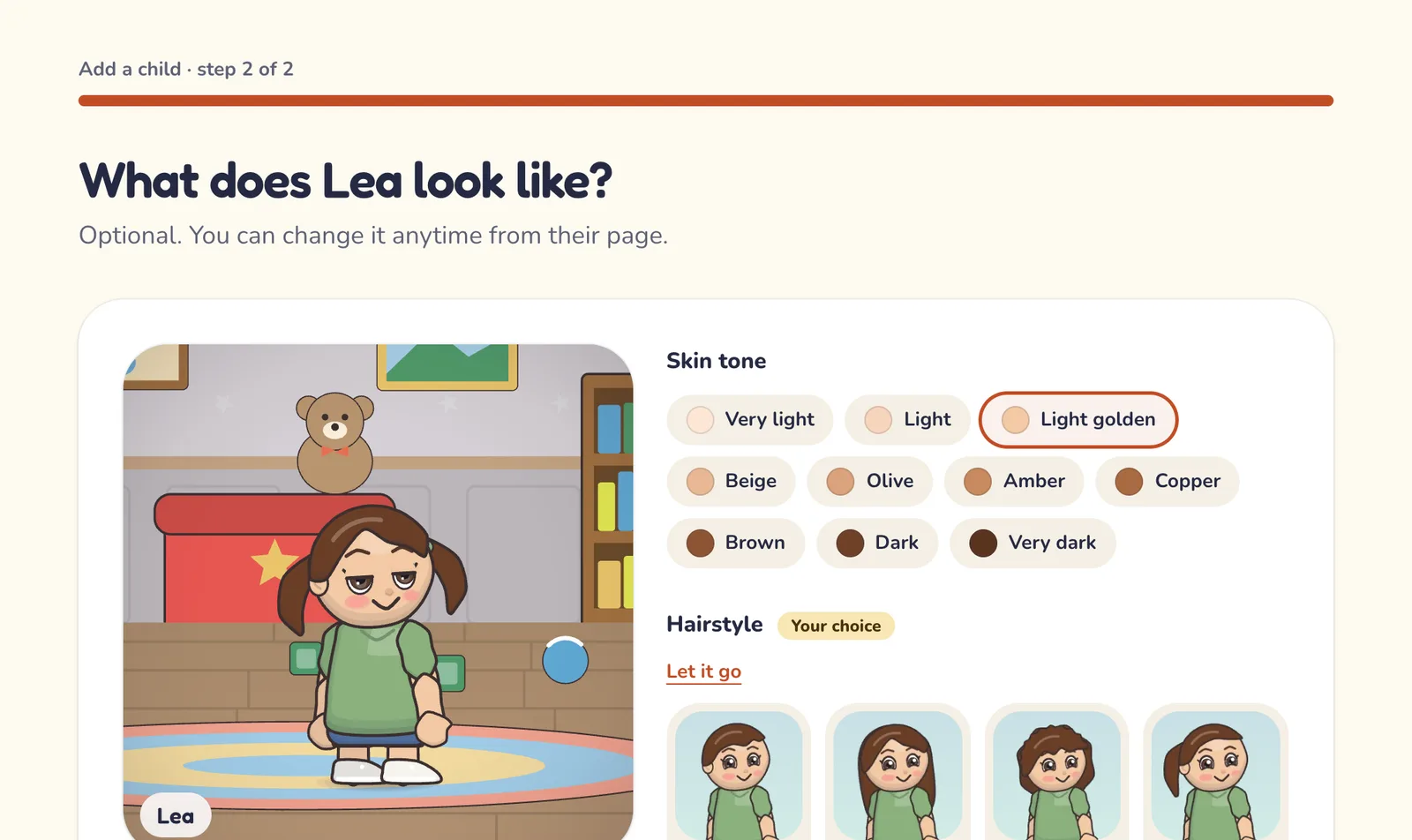
Their profile is also where you set parental controls, one child at a time: allowed themes, emotional intensity (gentle by default), stories with choices, voices and music, and a list of topics to avoid, like thunderstorms or spiders. You can change any of it at any time.
2. Add the characters in their life
Mom, Grandpa, a big sister, the dog, the stuffed animal they sleep with, or a dragon made up from scratch: each character takes six quick steps. You say who they are, give them a name (“Grandma Jo,” “Mr. Bunny”), choose how they look, explain how they’re connected to your child, describe their personality in a few words, and add a photo if you want to.
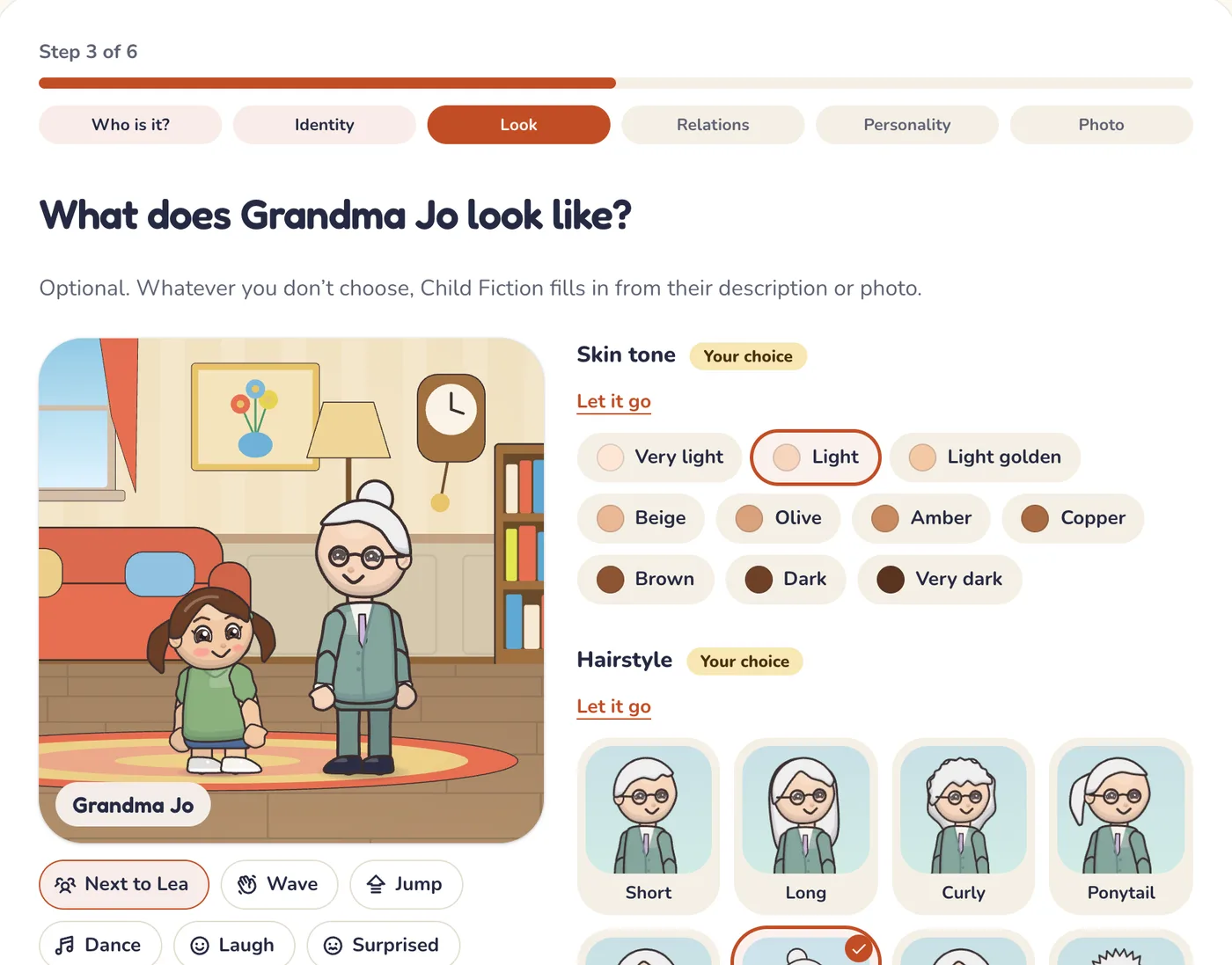
A line like “Grandma Jo laughs out loud and loves her garden” is enough to set her personality. Child Fiction then gets the character ready: it fills in whatever you left open about their look, then the way they talk, their voice and the way they move. Once ready, they keep the same face and the same voice from one story to the next, and they can join the universe of more than one child in the family.
3. Pick a story
The “New story” wizard walks you through three screens:
- Theme: Fantasy, Adventure, Dinosaurs, Animals & Nature, Sea & Pirates, Space, Superheroes, Everyday Life, Holidays & Trips or Sweet Dreams, among the ones you’ve allowed. Or “Surprise me!” This is also where you can pick a big moment they’re going through: a new baby, starting school, fear of the dark…
- Story: three ideas from that theme, with your child’s name in them, or a surprise. Each idea says what it brings: its value, and its discovery when it’s written for their age. When one of their adventures left a mystery, its sequel comes first; more ideas are one click away.
- All set: how long the story lasts when you picked an idea, what it costs and, if you like, your child’s companion in the story.
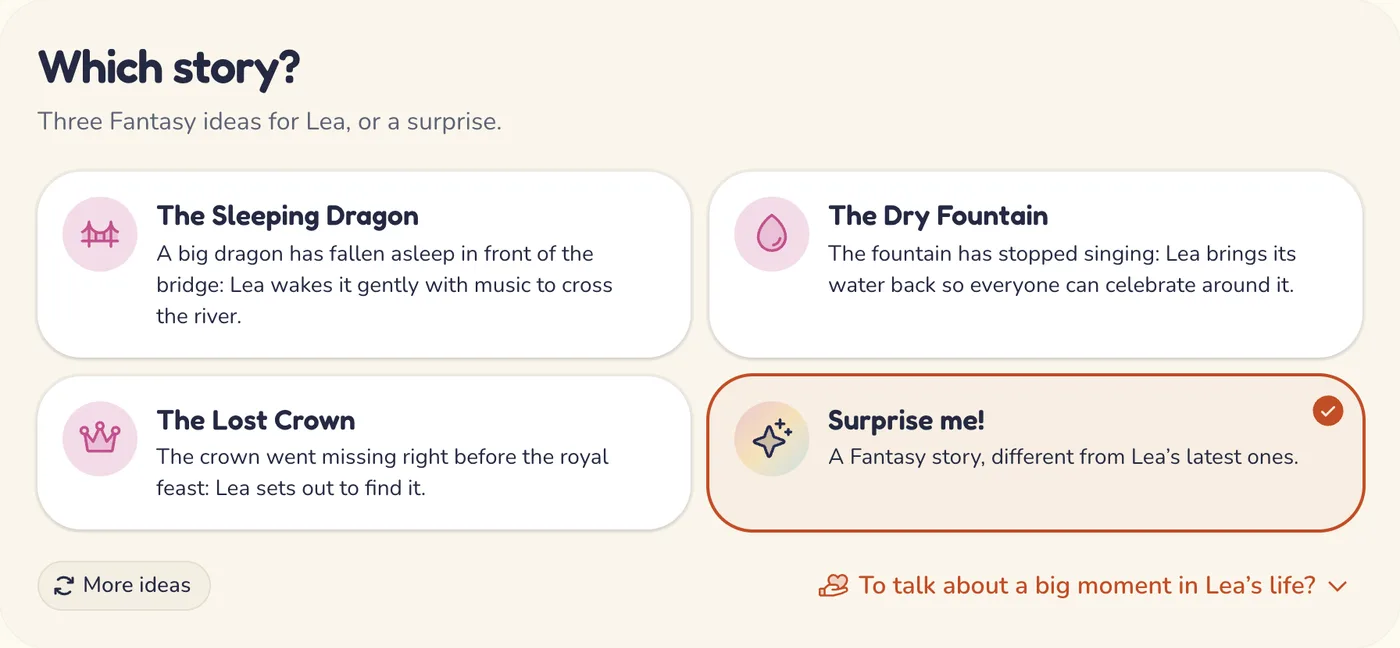
You start the preparation from this last screen, then follow its progress from the story’s page. In a hurry? On your home page, the “A story for…” button, with your child’s name, opens the last screen right away, with a surprise. Each story uses a free story or a credit: the details are on the pricing page.
4. Watch it together
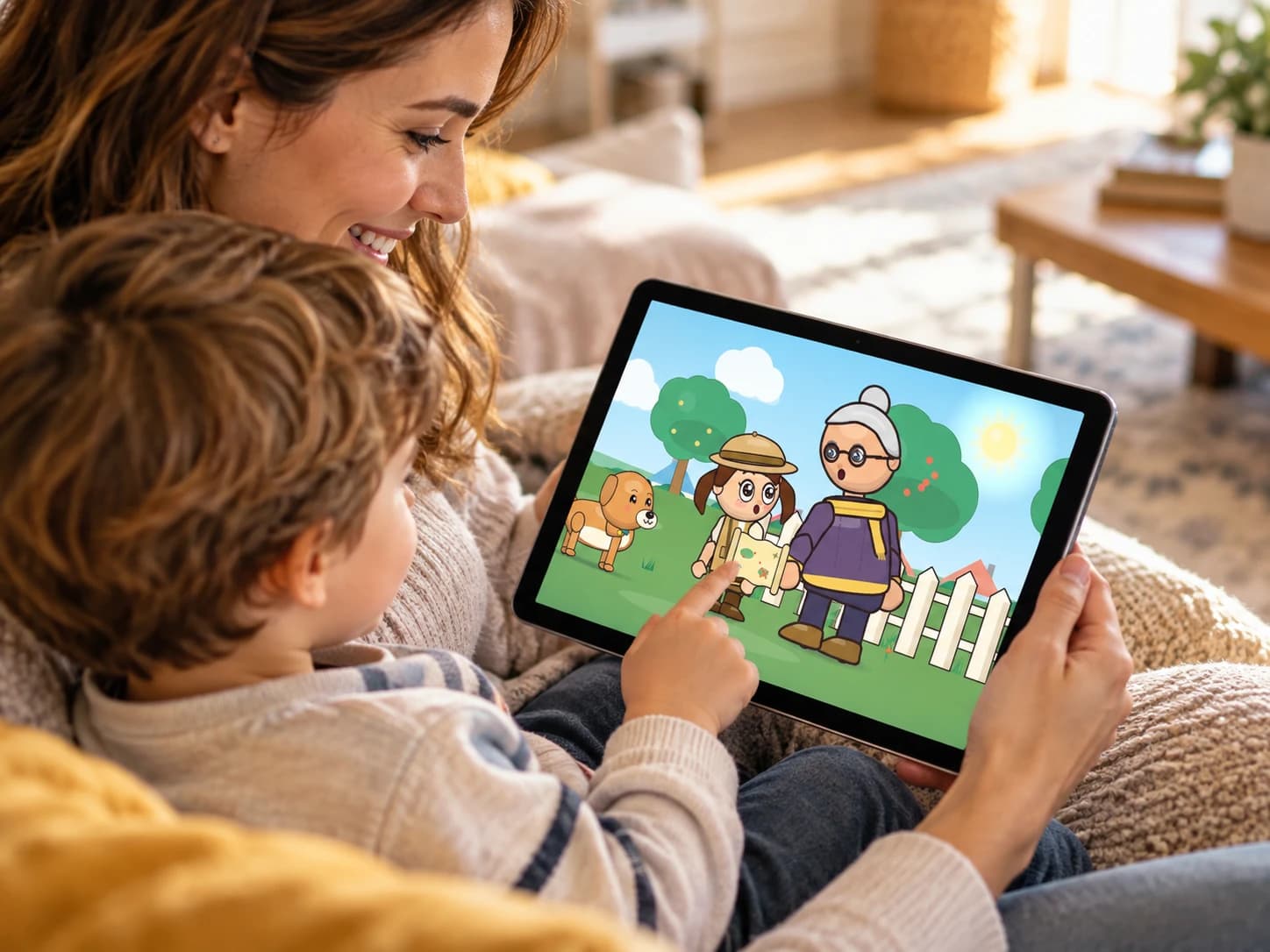
The story comes to life right in the browser: illustrated sets, characters who move and talk, warm voices, soft music and, if you like, subtitles. For the youngest listeners, it’s told in shorter sentences. You can pause, replay a moment, mute the sound or go full screen.
In a story with choices, the action pauses on an illustrated question that is read aloud, such as “What should Lea and Oscar do?” Your child picks a picture, and the story goes on the way they chose. It’s often the best time to talk: why that choice? What do you think will happen now?
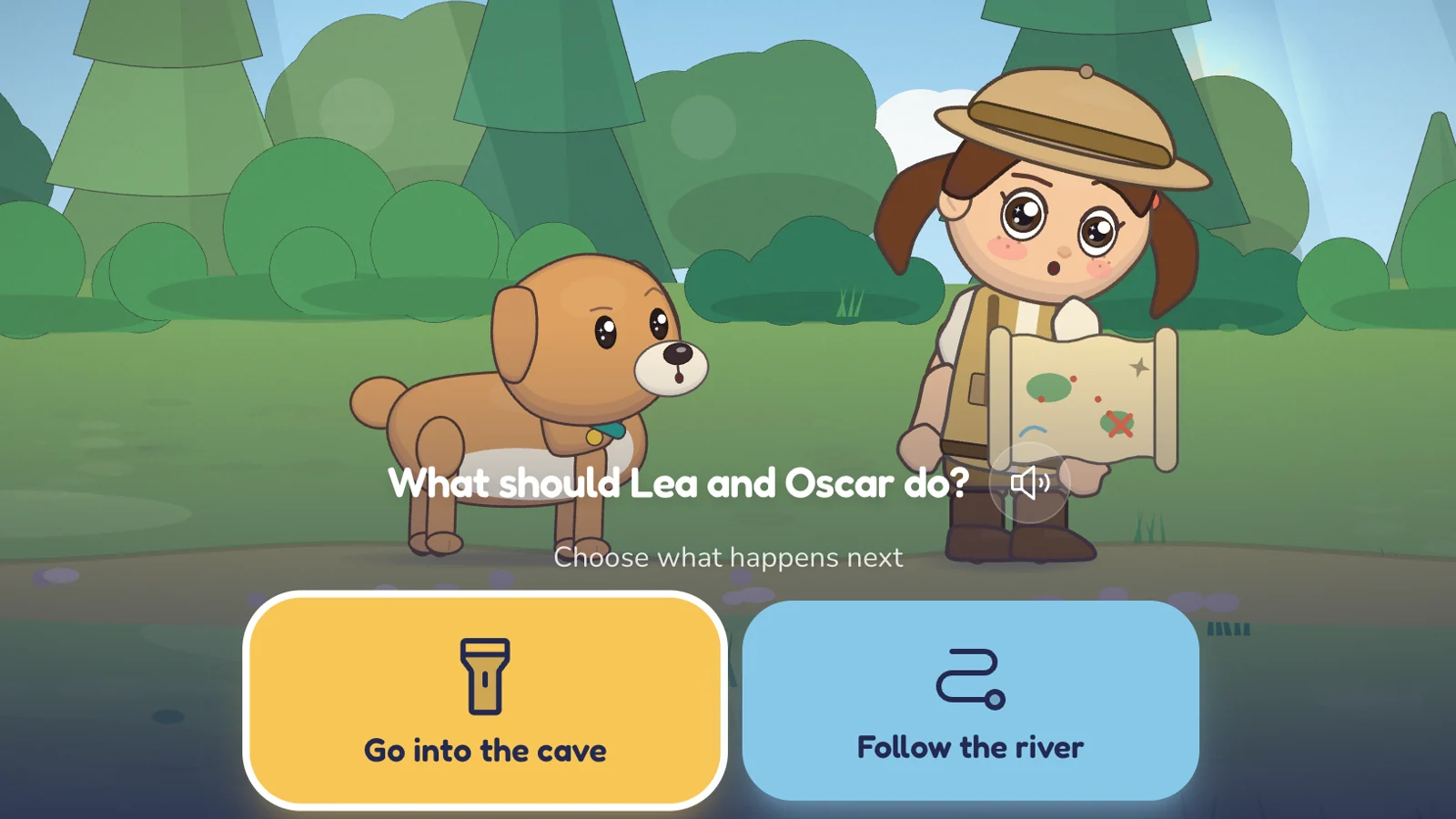
Once in every story, the hero also turns to your child and asks them a question to answer out loud. The story gives them a few seconds and records nothing: it’s a moment to chat, not a quiz.
At the end, “The end” stays on screen: no other story starts on its own. We encourage you to watch with your child, and earlier in the day rather than at bedtime; our approach explains why, and at night, our read-aloud bedtime stories take over.
5. Their universe remembers
This is what makes Child Fiction different: stories aren’t forgotten. The first time a story is watched all the way through, it becomes the official version of that adventure, and your child’s universe keeps track of it: friends they met, objects they found, places they discovered, mysteries left open.
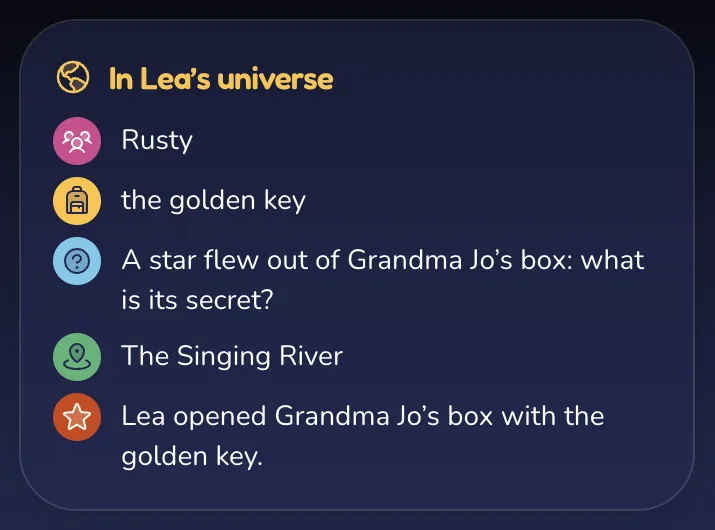
It all shows up on the map of their universe: home in the middle, every place they discover in its spot for good, the paths of their stories, treasures where they were found and a “?” on the mysteries still open.
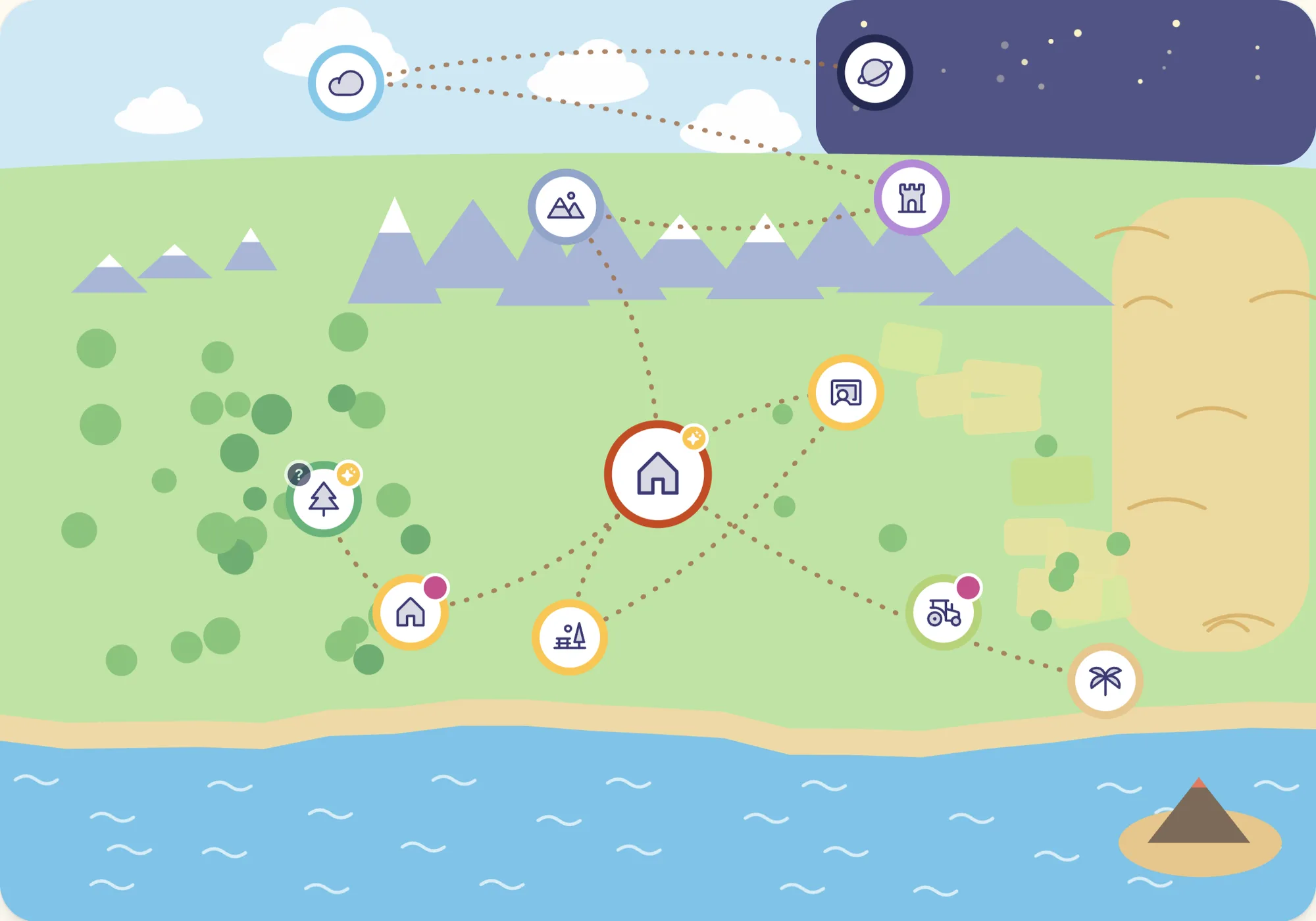
A fox they helped by the river stays among their friends, and you can pick it as the companion of a later adventure; a treasure found one day keeps its spot on the map, right where it was found. And when a choice leaves a mystery along the way, a sequel picks it up later: the friends met and the objects kept come back, and the “?” leaves the map. Your child’s choices leave their mark, and you’ll find everything (characters, places, treasures and mysteries) in the Worlds section of your family space.
Share a story with family
Grandma would love to see the latest adventure? From the page of a ready story, you create a link and send it to anyone you like: they watch it without an account, and nothing they watch changes your child’s universe. The link stays active until you turn it off.
Child mode, for when you hand over the screen
In child mode, your child can continue their adventure, watch their stories again, explore their universe and, if you allow it, start a new story. The safeguards, like the PIN it takes to leave child mode, are laid out in Safety and privacy.
You can set a daily limit: once it’s reached, child mode kindly suggests taking a break until the next day. It makes things easier, but it doesn’t replace you being there, especially with younger kids.
What you need to get started
- A parent account, for adults only, with a confirmed email address.
- An up-to-date browser on a computer, tablet or phone: nothing to install.
- The free Discovery plan and its free stories to try Child Fiction; all prices are on the pricing page.
Ages, screen time, data, plans: answers to the most common questions are in our FAQ, and how we protect your family’s information is laid out in Safety and privacy.
Keep reading
- Our approach: calm, shared, limited screen time from age 3Calm pacing, soft visuals, no ads, no autoplay, a real ending and a limit you set: the design choices behind Child Fiction, in line with official advice.
- Short bedtime stories to read aloud or listen to togetherShort, illustrated bedtime stories for kids ages 3 to 8, to read aloud or listen to with the screen off, with questions to talk about. Free, no sign-up.
- Stories to talk about values with your childSharing, being brave, kindness, self-confidence, honesty, patience: stories and questions to talk about values with your child, without the lecture.